
Quoting
Professional quotes, priced room by room
Turn your site notes into a clear, itemised quote while the job is fresh in your head. Handl works out the VAT, keeps the photos with the quote and gives you a PDF your customer can read at a glance.
14-day free trial · No card needed to sign up
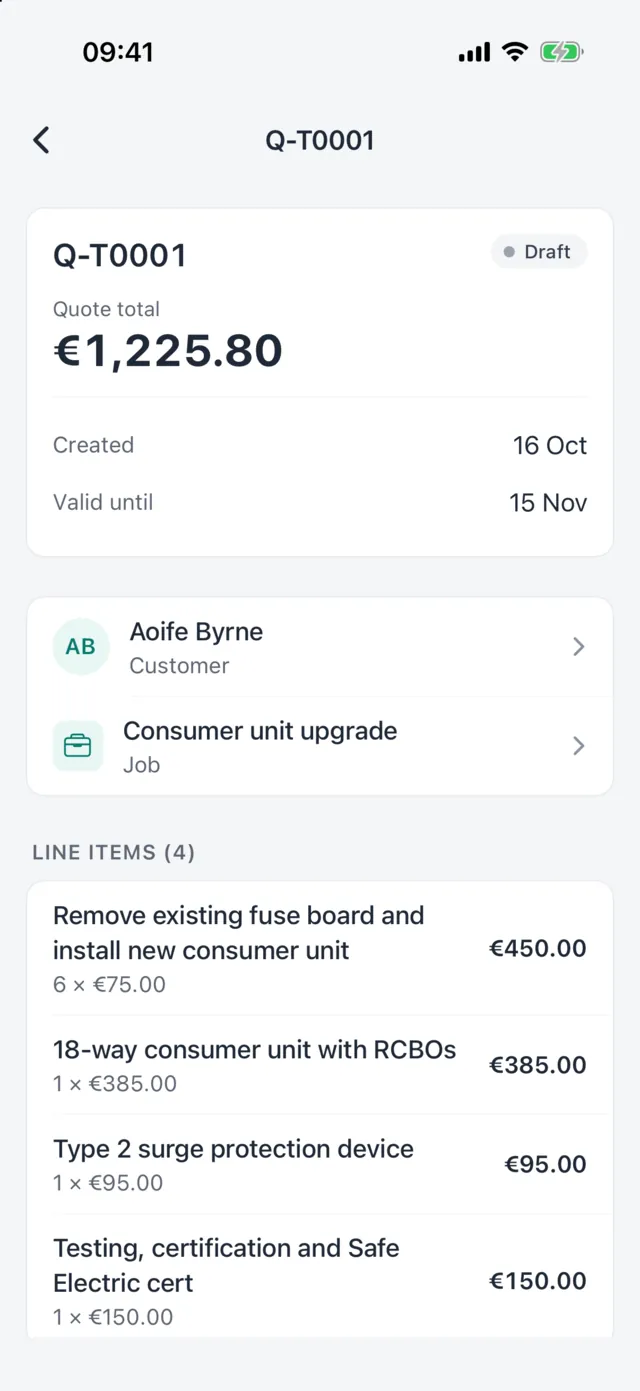
Quotes shouldn't cost you your evenings
A quote written up days after the site visit is slower to send, easier to get wrong and harder for the customer to compare. Handl lets you build it on the spot, line by line, so the customer gets it while they're still deciding.
How it works
From site notes to a sent quote
-
1
Pick the client and job
Start from an existing client or add a new one with their site address.
-
2
Add areas and lines
Use presets like Kitchen, Bathroom or Consumer unit, or name your own. Add labour and materials with quantity and unit price.
-
3
Set VAT, discounts and terms
Choose 23%, 13.5% or 0% VAT per line, add a discount or deposit, and set a valid-until date.
-
4
Send it and follow up
Email the PDF. On Journeyman and Master, customers can accept or decline online and you see when they've opened it.
Quoting features in detail
On site
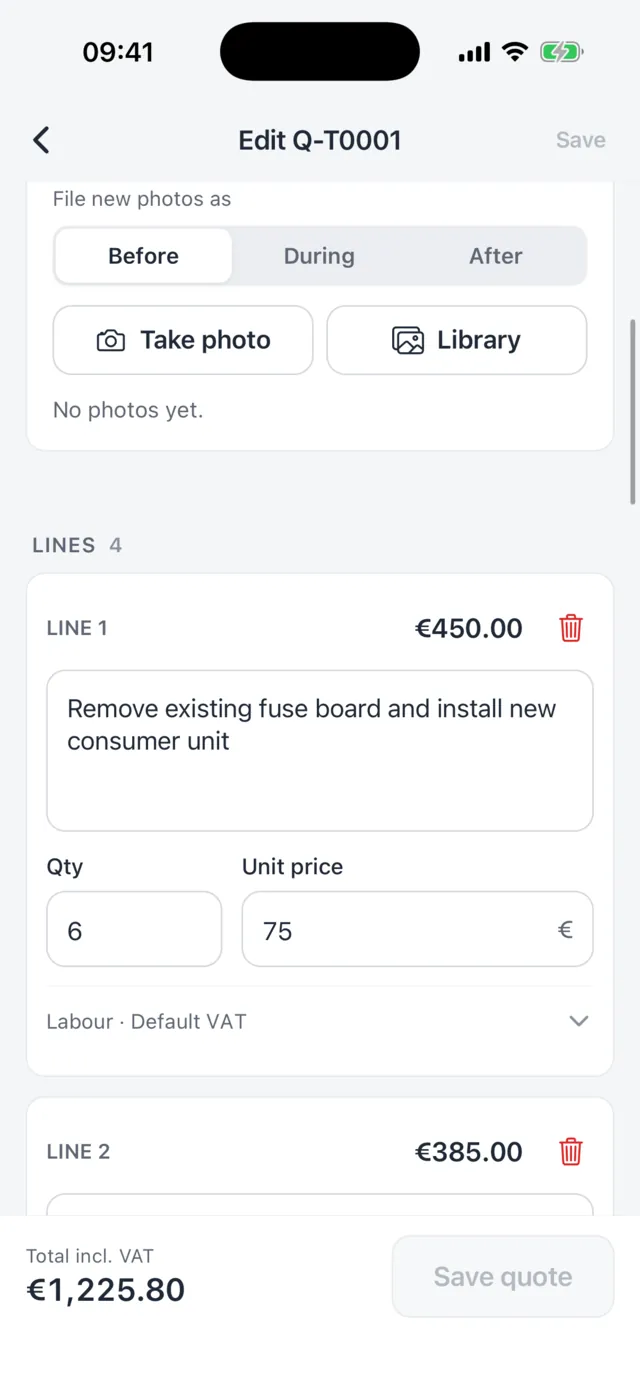
Build the quote where you can see the work
Add lines as you walk the job, with labour and materials on each line and the VAT rate that applies. Handl adds it all up as you go, so the total is never a surprise.
- Area presets and custom areas
- Per-line VAT at Irish rates
- Line and whole-quote discounts
- Deposit, terms and valid-until date
Customer-ready
A quote your customer can actually read
Every quote comes out as a tidy PDF with your business details, each line priced, VAT shown and the total clear. On Journeyman and Master you can add your own logo and branding.
- PDF quotes sent by email
- Online accept or decline (Journeyman and Master)
- Quote templates for work you price often (Journeyman and Master)
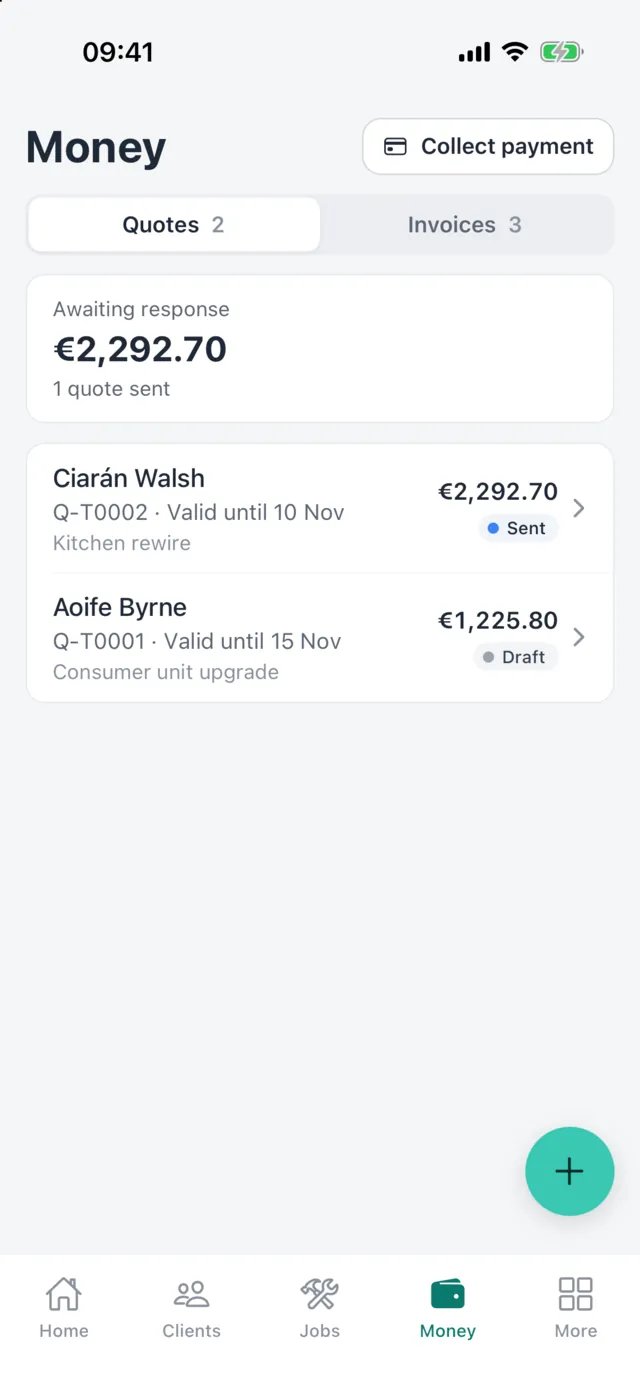
Screens shown are from the Handl iPhone app, coming soon to the App Store and Google Play. The same quotes, jobs and invoices are in Handl on the web today.
What happens after they say yes
The accepted quote stays on the job. When the work is done, create the invoice straight from the quote so the lines, prices and VAT carry across and nothing gets typed twice.
Want more detail on bigger jobs? Optional beta tools add quote sections, per-point pricing from a point schedule and a pricing engine based on your own business costs. You switch them on in Settings.
On the web
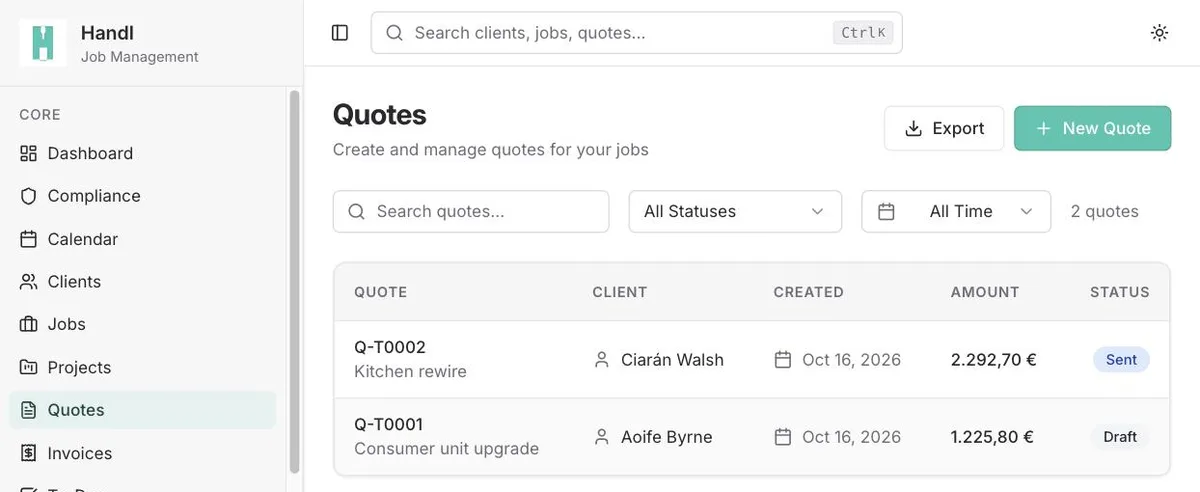
Every quote, and where it stands
In Handl on the web, see every quote with its client, amount and status, and send it to the customer from there.
Good to know
- Quotes are sent by email from Handl on the web. The upcoming phone apps let you build and edit quotes, then you send them from the web.
- Online acceptance, quote templates and custom branding need the Journeyman or Master plan. Every plan includes PDF quotes sent by email.
- When a customer accepts online, they type their name and tick to confirm. It isn't a drawn signature.
- Quote sections, point schedules and the pricing engine are beta features. They're off until you switch them on in Settings.
FAQ
Common questions
Can I use my own prices and materials?
Yes. You type your own descriptions, quantities and unit prices on each line. On Master you can also save kit bundles: groups of materials you add to a quote in one go.
Does Handl handle Irish VAT?
Yes. Each line can be set to 23%, 13.5% or 0%, and the quote shows the subtotal, VAT and total.
Can a customer accept a quote online?
On Journeyman and Master, yes. The customer opens a link, reviews the quote and accepts or declines it. You can see when they've opened it.
Can I turn a quote into an invoice?
Yes. Create the invoice from the quote and the lines carry across, so you only change what's different.
Related features
Send your next quote from Handl
Start a 14-day free trial with every feature switched on. No card needed to sign up.