
Job management
Every job, organised from booking to sign-off
Stop piecing jobs together from texts, notebooks and your camera roll. In Handl, each job holds the client, the site, when it's booked, what's been done and what's still outstanding.
14-day free trial · No card needed to sign up
The job tools you'll use every day
Everything below is linked to the client and the site, so a job's history is always one search away.
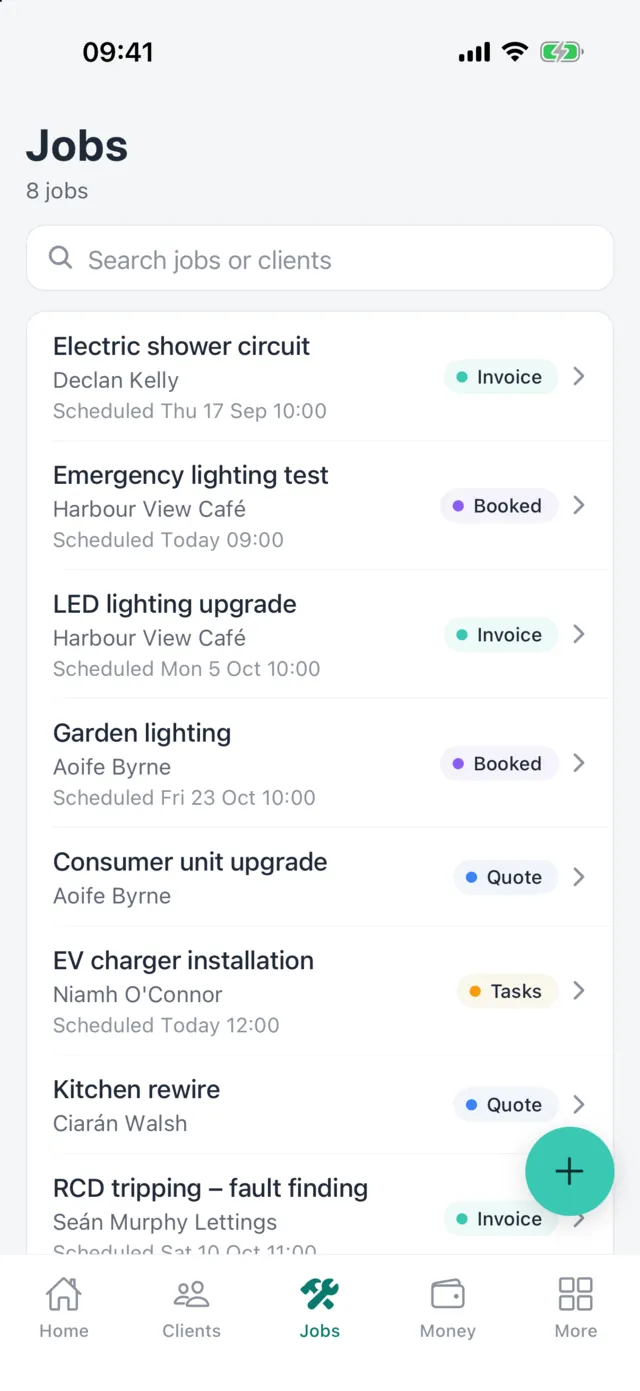
Jobs with status
See at a glance which jobs need a quote, are booked, or are ready to invoice.
Calendar
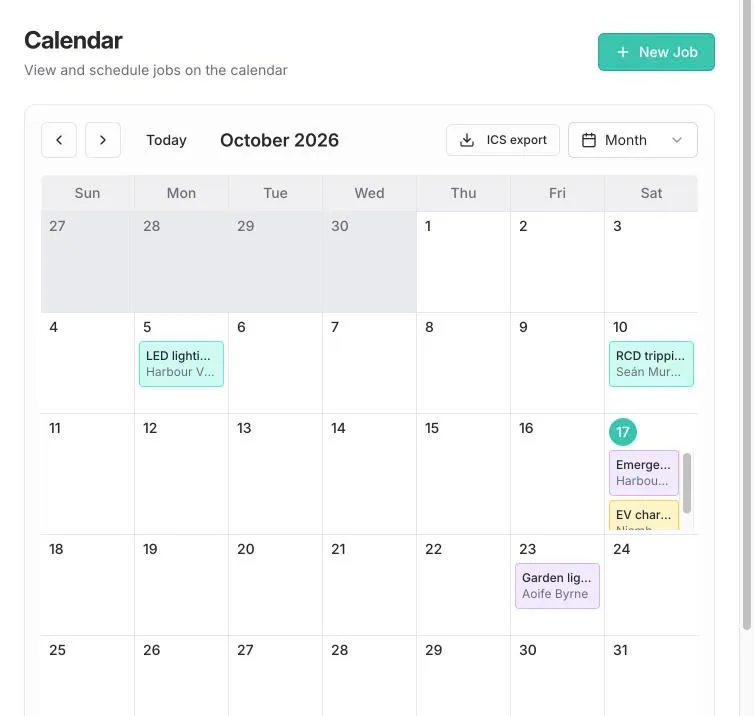
Plan the week on the calendar in Handl on the web, and subscribe to a calendar feed of your schedule.
Checklists and notes
Keep notes on each job and tick off checklist items as the work gets done.
Job photos
Attach photos to the job so they're with the work, not lost on your phone. (Journeyman and Master)
Recurring jobs and templates
Set up repeat work once, and reuse job templates for the jobs you do every week. (Journeyman and Master)
Timesheets and subcontractors
Log time against jobs and add subcontractors to the jobs they're working on. (Journeyman and Master)
Job management in detail
On the job
The site address, the customer and the plan, together
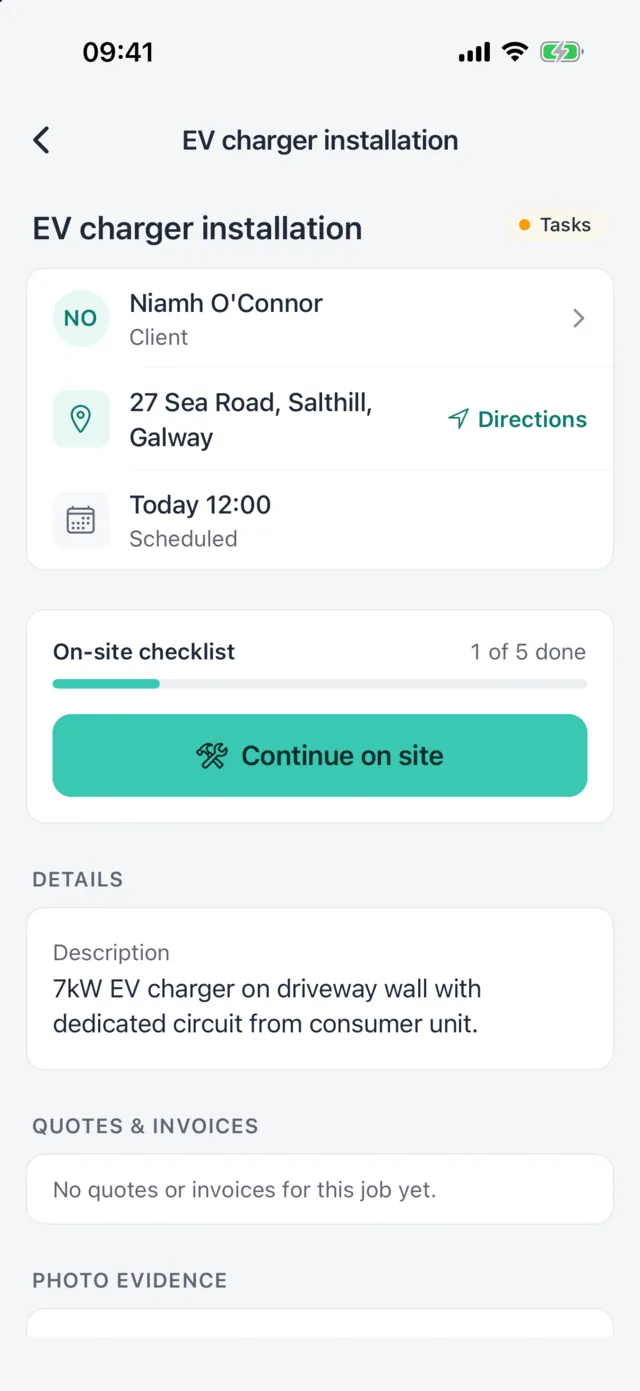
Open the job and everything you need is there: who it's for, where it is, when you're due and what's been agreed. Quotes and invoices for the job are listed right underneath.
- Client and site details on every job
- Scheduled date and time
- Linked quotes, invoices and test records
Beta: on-site workspace
Finish the job with the evidence to prove it
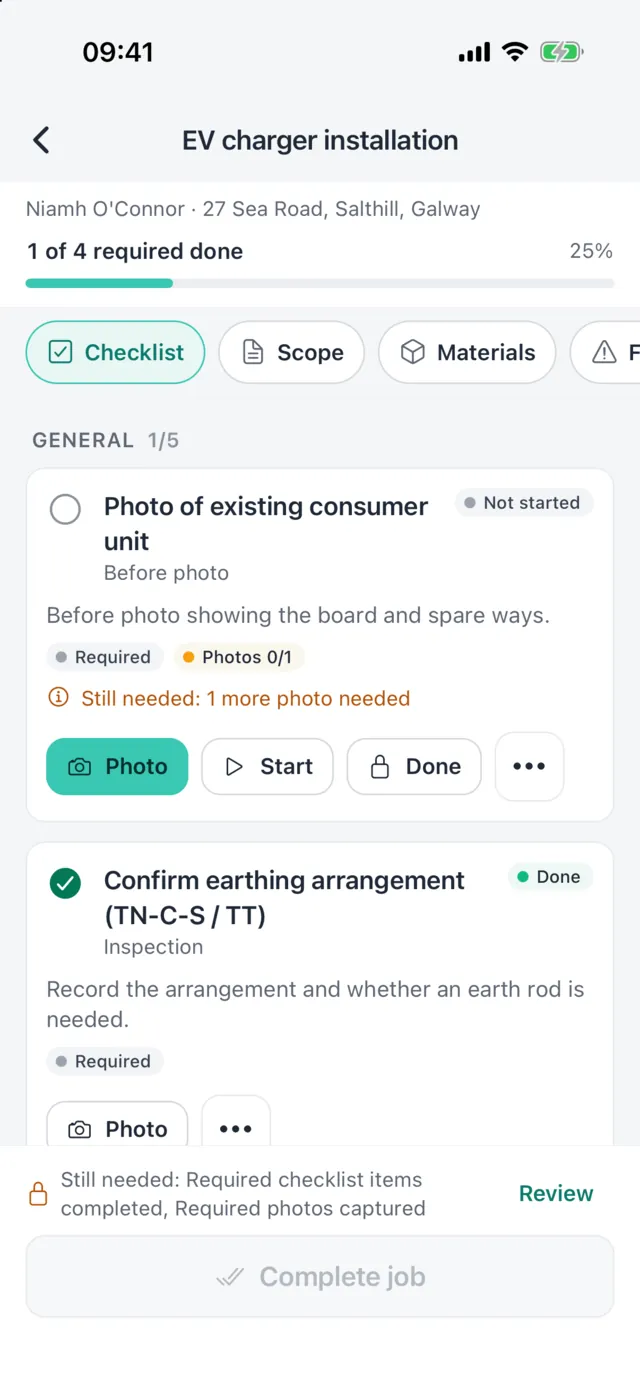
Switch on photo evidence in Settings to get an on-site checklist with required photos, materials used, defects and variations, a customer signature and a handover pack you can email to the customer.
- Before, during and after photos
- Required items checked before you complete the job
- Handover pack PDF the customer can sign online
Beta Off by default. Switch on under Settings.
Screens shown are from the Handl iPhone app, coming soon to the App Store and Google Play. The same quotes, jobs and invoices are in Handl on the web today.
Clients and sites
Know every customer and every property
Each client keeps their contact details, notes, sites and full job history. Come back to a property two years later and you'll see what you did, what you quoted and what you tested.
Search across clients, jobs, quotes and invoices from anywhere in Handl, and export your client list to CSV whenever you want it.
Unlimited clients
No caps on clients, sites or jobs on any plan.
Full history
Every quote, job, invoice and test record for the client, in one place.
On the web
Plan the month on the calendar
Scheduled jobs appear on the calendar in Handl on the web. Export your schedule to your own calendar app with the ICS export.
Good to know
- Handl has one login per account. Staff can be recorded for timesheets, but they can't sign in yet, so jobs can't be assigned to staff logins.
- The calendar is in Handl on the web. You can subscribe to it as a calendar feed; there's no two-way sync with Google or Outlook calendars.
- Job photos, recurring jobs, job templates, timesheets, to-dos and subcontractors need the Journeyman or Master plan. Job tasks need Master.
- The on-site workspace, photo evidence and handover packs are beta features you switch on in Settings.
FAQ
Common questions
Can I see my jobs on a calendar?
Yes. Handl on the web has a job calendar, and you can subscribe to a calendar feed of your schedule from your usual calendar app.
Does it handle repeat work like annual services?
Yes. On Journeyman and Master you can set up recurring jobs with a start date and how often they repeat.
Can I add photos to a job?
Yes, on Journeyman and Master. Photos are stored with the job so you can find them again later.
Can my apprentice or staff use it?
Not with their own login yet. Each account has one login. You can record staff for timesheets and add subcontractors to jobs.
Put your next job in Handl
Start a 14-day free trial with every feature switched on. No card needed to sign up.